How to install OpenBSD on MangoPI MQ Pro
- Nazarenko Mykyta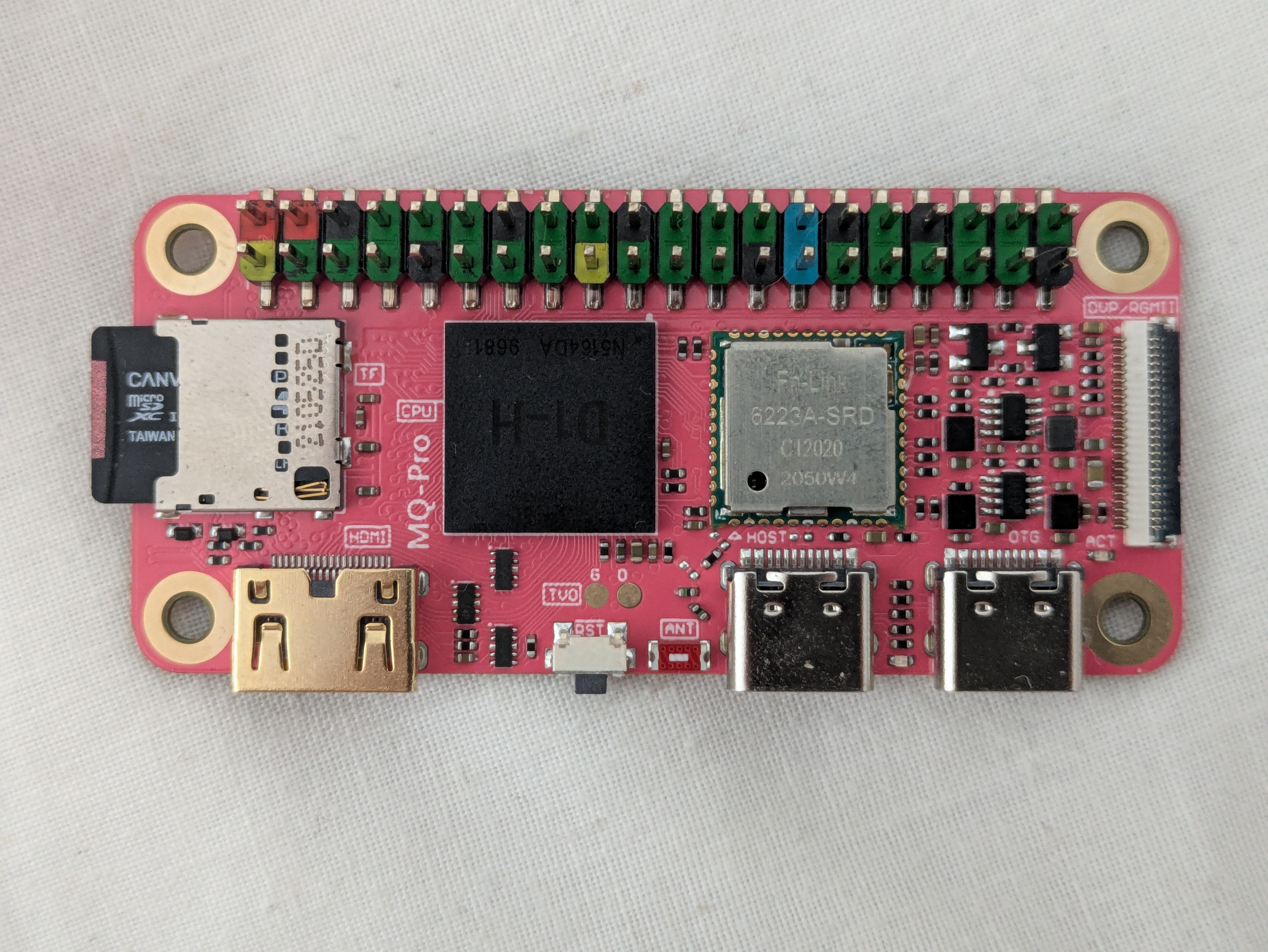
What tools we need?
- Python 3.9.0
- riscv64-unknown-elf-gcc cross-compiler ( with PIE )
Let’s start
First, we need to build riscv-gnu-toolchain from scratch or compile riscv-elf/ from the offical ports-tree of OpenBSD operating system. I prefer to build whole toolchain from scratch, but if you want, you can try to modify the Makefile in riscv-elf/gcc and add some flags that I will use below.
Build riscv-gnu-toolchain :
git clone https://github.com/riscv/riscv-gnu-toolchain
cd riscv-gnu-toolchain
./configure --prefix=<your_prefix> --with-arch=rv64gc --with-api=lp64d --enable-default-pie
make linux
Build Python 3.9.0 :
doas pkg_add libffi readline bzip2 gdm sqlite3 xz gmake openssl
wget https://www.python.org/ftp/python/3.9.0/Python-3.9.0.tgz
tar -xzf Python-3.9.0.tgz
cd Python 3.9.0
export OPENSSL_DIR=/usr
./configure --prefix=/usr/local --enable-optimizations --with-ensurepip=install
make
make altinstall
After build, check the availability of Python 3.9.0 :
python3.9 --version
We got the cross-compiler and necessary version of Python. After that we need to understand how the boot-process on MangoPI works. This scheme demonstrates, what happens under the hood before bsd kernel will be started :
  [ BOOT-ROM ]
       |
       |
 [ U-BOOT SPL ]
       |
       |
  [ OPENSBI ]
       |
       |
   [ U-BOOT ]
       |
       |
 [ EFI LOADER ]
       |
       |
 { BSD KERNEL }
It turns out that we need not only U-Boot, but also a payload - OpenSBI ( Supervisor Binary Interface ).
Let’s build OpenSBI first :
git clone https://github.com/riscv-software-src/opensbi
cd opensbi
make CROSS_COMPILE=<your_prefix/riscv64-linux-gnu-> PLATFORM=generic FW_PIC=y
And U-Boot from d1-wip branch :
doas pkg_add dft
git clone https://github.com/smaeul -b d1-wip
cd u-boot
python3.9 -m pip install pylibfdt dtoc --break-system-packages
make CROSS_COMPILE=<your_prefix>/riscv64-linux-gnu- mangopi_mq_pro_defconfig
make CROSS_COMPILE=<your_prefix>/riscv64-linux-gnu- NO_PYTHON=1 OPENSBI=../opensbi/build/platform/generic/firmware/fw_dynamic.bin
After the build you will get the file named “u-boot-sunxi-with-spl.bin”, we need to flash it later.
Download the miniroot79.img from https://openbsd.org/faq/faq4.html#Download
Take your SD-card and connect it to your laptop or PC via adapter.
dd if=<path_to_your_miniroot.img> of=/dev/rsdYc bs=1M
dd if=<path_to_u-boot-sunxi-with-spl.bin> of=/dev/rsdYc bs=1024 seek=8
Take SD-card and put it into the MangoPI MQ Pro. Connect to the SBC via USB-TTL adapter and power up the board. If you want, you can install OpenBSD on the SD-card using USB-stick that contains file-sets for OpenBSD.
Conclusion
The most sophisticated way to install OpenBSD on an “exotic architecture” is to use OpenBSD.
Special thanks to the author of original post https://riscvboards.com/posts/2025/09/17/mango-pi-mq-pro-openbsd.html